
Intro
In this section, we’re going to shift from “I have a cool surface in Rhino” to “I have a buildable, coordinated facade system in Revit.” This is where a lot of real projects either come together—or completely fall apart.
We’ll look at how to translate complex Rhino facades into native Revit systems in a way that:
- Aligns with structural grids and floor slabs
- Respects real-world fabrication and installation logic
- Stays editable and lightweight in Revit
- Still lets you do “interesting” geometry without blowing up the BIM model
You’ll learn:
- When to use system families for simple or moderately curved facades
- When to use adaptive families for more complex, multi-axis curvature
- When you’re forced to use Direct Shapes—and how to use them intelligently
- How to clean and prep host surfaces so they’re actually automatable
- How to align facade subdivisions with grids, levels, and slab edges
- How to feed analysis data back into your facade logic
- How to combine everything into accurate computational facades suitable for real projects
Throughout this section, we’ll reference actual buildings—like 55 Hudson Yards, Seagram, Lever House, One Island Drive, Manhattan West, and North Bund Lot 91—to ground the concepts in real-world applications, not abstract parametric exercises.
From Fancy Surfaces to Constructible Systems
Most early-stage Rhino models don’t “think” like buildings yet—they’re about form, not about how the facade is built.
Revit, on the other hand, only cares about systems, categories, and rules.
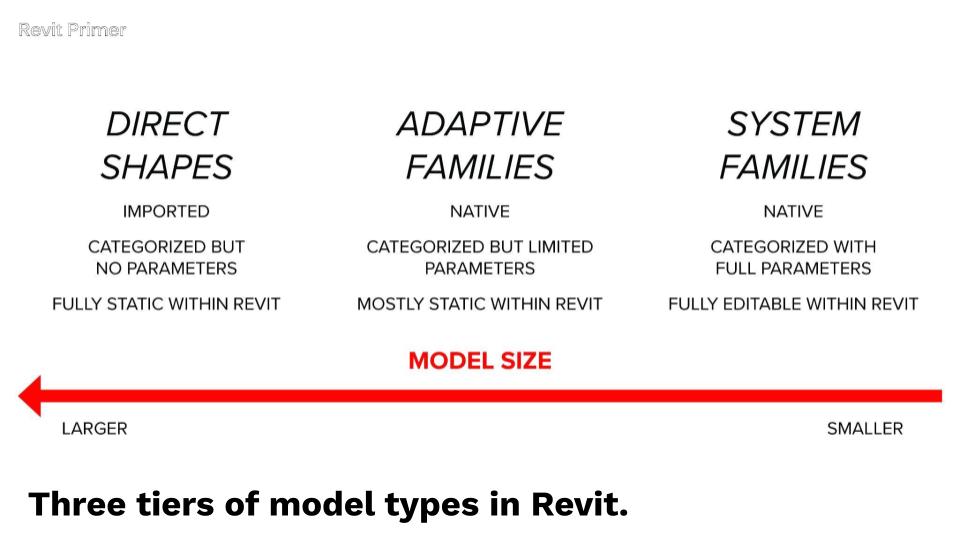
To bridge that gap, it helps to classify your facade into three broad buckets:
1. System Families
Use system families when your facade is:
- Rectilinear or gently curved in one direction
- Planar at the panel level
- Driven by a repeatable grid or module
- Similar to most curtain walls built in the last 50 years
These are great for buildings like:
- 55 Hudson Yards
- Seagram Building
- Lever House
- Disney HQ (Hudson Square)
- One Island Drive (curving in plan but not elevation)
System families should always be your first stop.
Joe’s Tip
Start every facade with the question:
“If I simplified the geometry, could this be a system family?”
Only move to adaptive families or Direct Shapes when you can articulate why a simpler system truly won’t work.
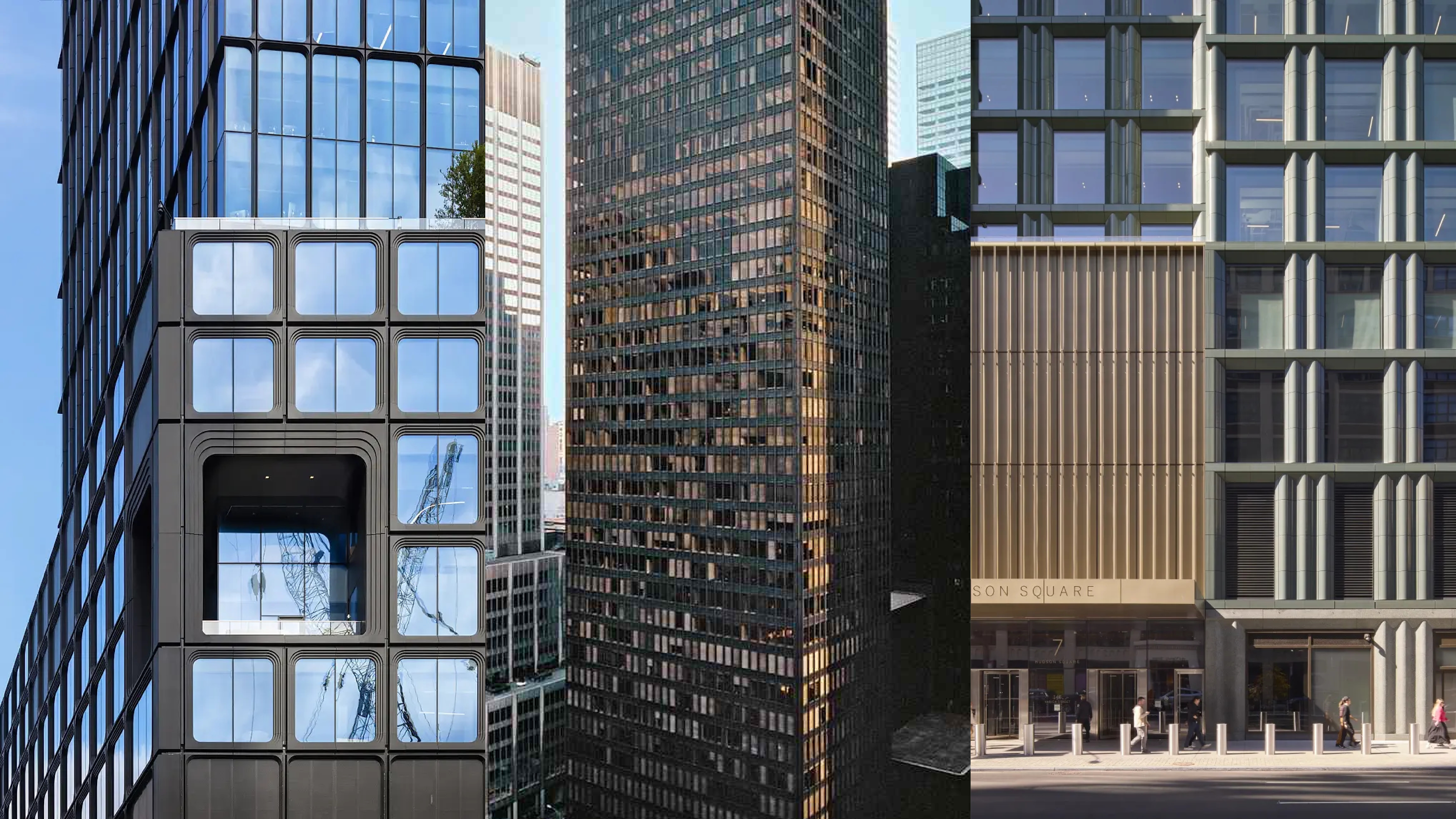
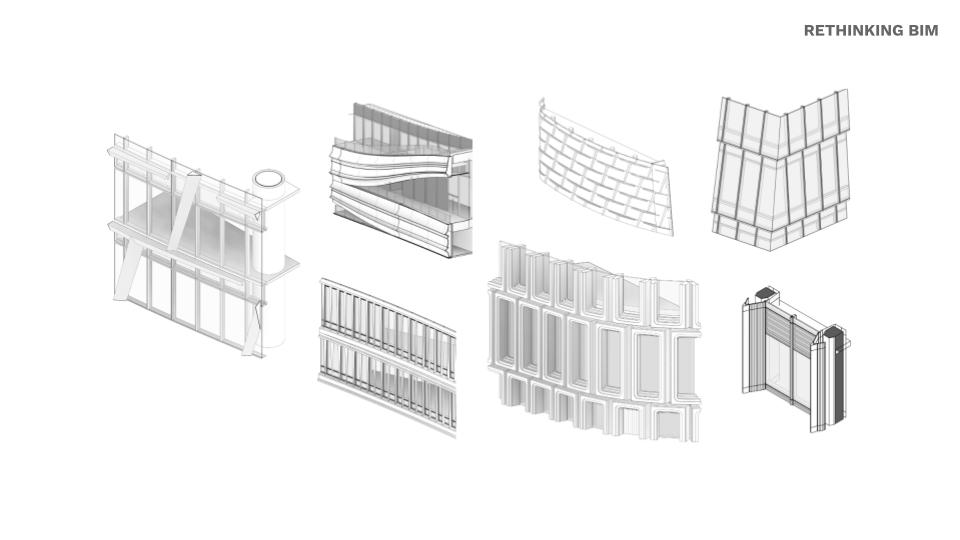
Some common rectilinear based facades that can be done with system familes
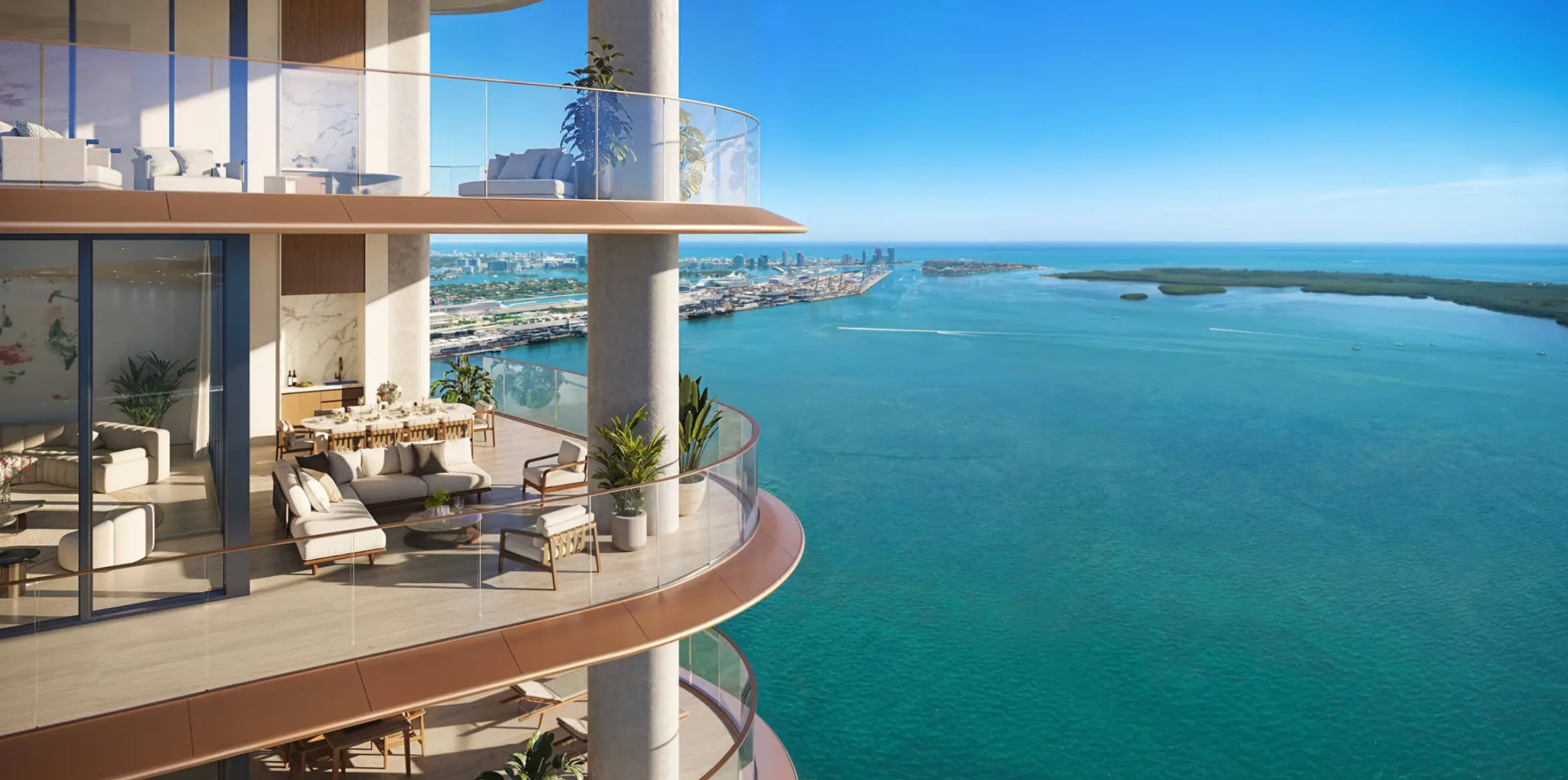
If you look closely, even a complex looking form like One Island Drive can be modeled with basic system families
2. Adaptive Families
Adaptive families are for facades that:
- Curve or tilt in two directions
- Shift in both plan and elevation
- Have rounded corners, subtle double curvature, or tapering geometry
- Need precise 3D placement of panel corners
Think of cases like:
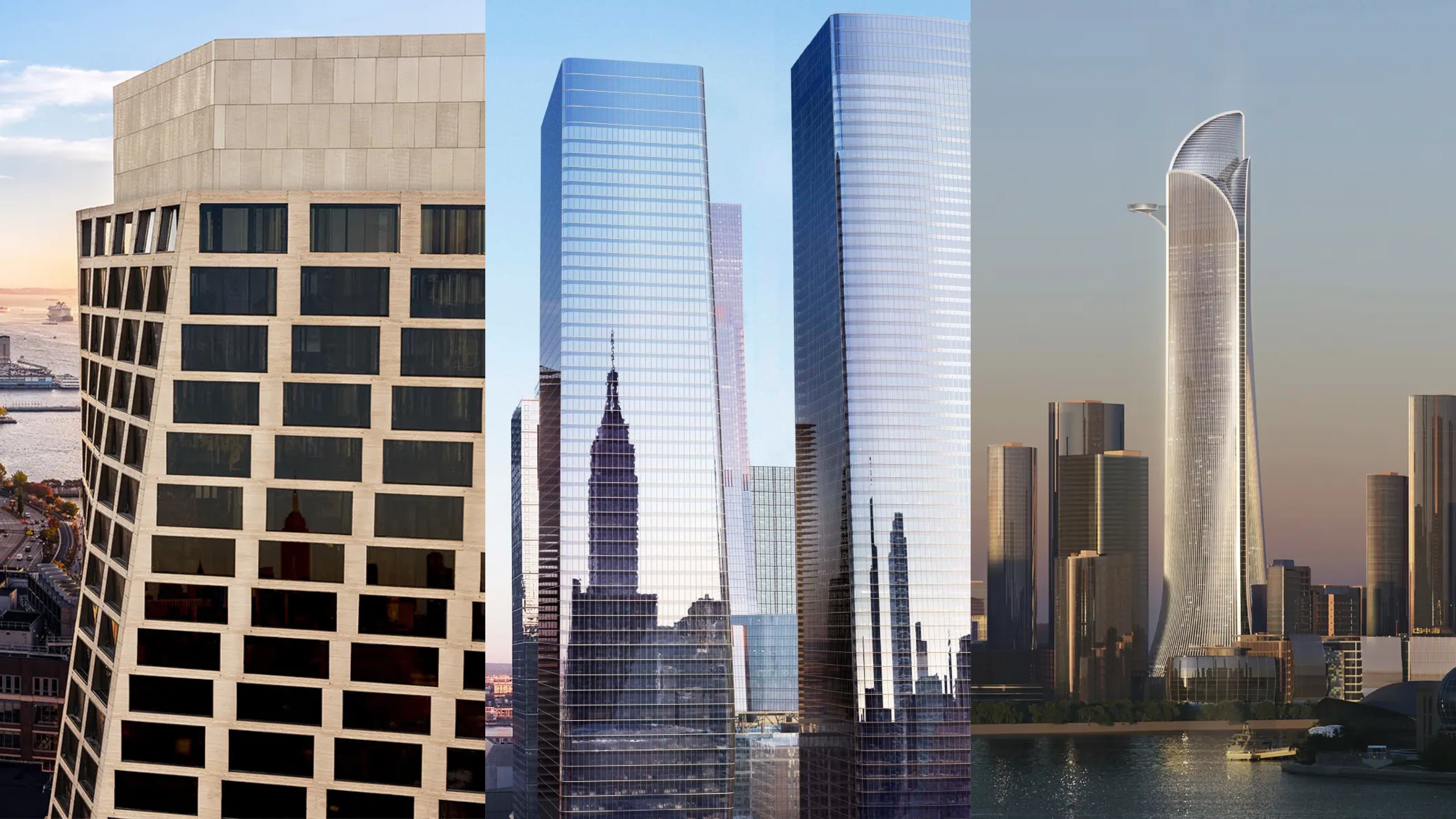
- North Bund Lot 91 – subtle multiaxial tilt
- Manhattan West Towers – tapering, curved towers with rounded corners
- One Highline - twisted rectilinear forms
Adaptive families allow you to maintain logic and consistency even when the geometry becomes too “smart” for system families.
Joe’s Tip
If your panel corner points move in both plan and elevation—even slightly—assume you’re in adaptive-family territory.
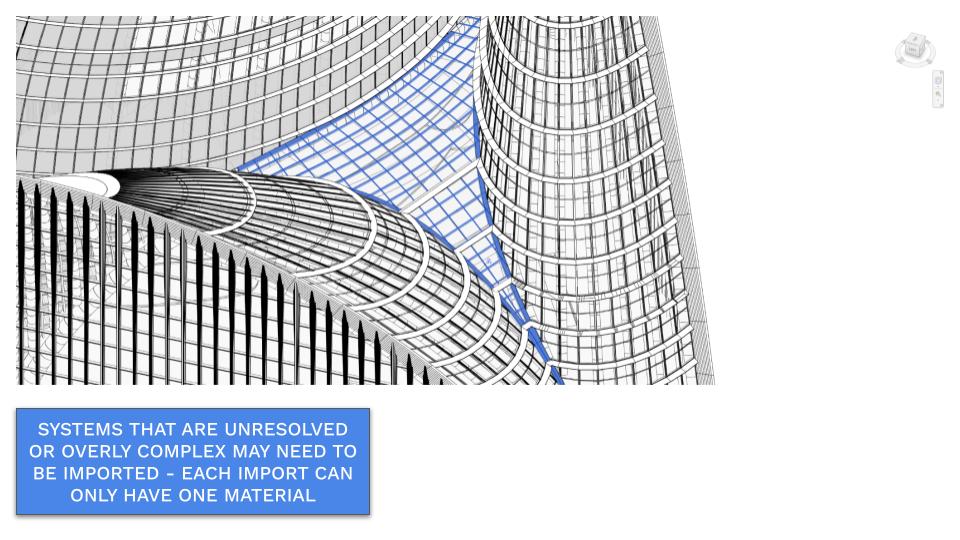
3. Direct Shapes
Direct Shapes are powerful—but should almost never be your first option.
Use them only when:
- The geometry cannot be represented as a system or adaptive family
- You need a coordination placeholder for complex or unresolved geometry
- You’re dealing with bespoke or one-off components
- You’re importing elements that Revit fundamentally can’t reconstruct
They essentially create an in-place family automatically, with whatever category you assign.
Tradeoffs:
- Heavier models
- Limited editability
- Must reimport for every design update
- Separate imports needed per material (glass vs. mullion)
Joe’s Tip
Think of Direct Shapes as “Revit-approved imports,” not real building systems.
Keep them under 10–15% of your project if possible.
Getting Host Surfaces and Subdivisions Right
Regardless of method, everything begins with clean geometric hosts in Rhino.
This means:
- Surfaces should be simple, continuous, and rebuildable
- Panel boundaries should follow lines and arcs (not noisy NURBS)
- Subdivisions should align with:
- Structural grids
- Levels and floor slabs
- Key architectural joints
We’ll explore:
- Techniques for rebuilding or remaking surfaces to make them automatable
- How to align panel grids with previously established building grids
- How to ensure facade joints line up with slabs, structure, and corners
Joe’s Tip
If your Rhino surface subdivisions don’t align with floors and grids, fix that before doing anything in Grasshopper.
It will save you weeks later.
Analysis-Driven Facades (Without Overcomplicating It)
We won’t run full environmental analyses here, but we will explore how analysis can influence facade logic.
Common metrics include:
- Solar exposure
- Sky view
- Privacy or openness
- Performance zones across the facade
We’ll look at:
- How to store this data inside your model
- How to use it to modify panel attributes
- How to build adaptive systems that respond intelligently to analysis values
The goal is to understand how performance + geometry + system logic come together.
Learning from Real Projects: Reverse-Engineering Rules
Before building anything, you’ll learn to look at real buildings and identify:
- The underlying panel grid
- The logic of joints and breaks
- Where curvature happens
- How panels relate to floors, corners, and structure
- Which Revit system (system / adaptive / direct shape) best fits
We’ll reference:
- Seagram / Lever House → System Families
- Disney HQ → Slight variation, still System Families
- One Island Drive → System Families with curved-in-plan hosts
- Manhattan West → Adaptive Families
- North Bund Lot 91 → Adaptive Families
And then map those rules to your own design.
Joe’s Tip
Anytime you're unsure how to document a facade, try to find a similar precedent in the real world and thank about how the systems and alignments compare to yours. Try to visually break the facade down into Revit elements.
Summary
In this section, you will:
- Classify facades into System Families, Adaptive Families, and Direct Shapes
- Look at how real projects map to each strategy
- Learn how to rebuild and clean host surfaces
- Align panel subdivisions with grids and slabs
- Use analysis data to drive facade design
- Combine all this into a workflow that produces accurate, Revit-native facade geometry
Next, we’ll begin with the most common case:
Leveraging System Families for Simple Facades.
Side Challenge
Pick three built precedents—one rectilinear, one curved-in-plan, one subtly curved/tapered.
For each annotage images to show the following:
- Identify the underlying grid or module
- Select system vs. adaptive vs. direct shape
- Describe how you’d align panel joints with floors
